Home Energy Audit Checklist Before Buying Smart Devices
Reading time: 12 minutes
You’ve just spotted a sleek smart thermostat on sale, and your finger is hovering over the “Buy Now” button. Before you click — stop. Here’s something most smart home guides won’t tell you: purchasing smart devices without first conducting a home energy audit is like hiring a personal trainer before getting a health checkup. You might make progress, but you’re almost certainly leaving serious gains on the table.
In 2026, the average American household spends $2,160 annually on energy bills, according to the U.S. Energy Information Administration. Smart home devices promise savings — but only if your home’s baseline energy profile supports them. A 2025 Lawrence Berkeley National Laboratory study found that nearly 43% of smart device adopters saw less than 5% energy reduction because they skipped the foundational audit step. That’s money left in utility companies’ pockets, not yours.
This guide walks you through a practical, room-by-room energy audit checklist — the kind professionals charge $300–$500 to perform — so you can make genuinely informed smart device decisions. Whether you’re a first-time homeowner or a tech enthusiast ready to automate everything, this checklist puts strategy before spending.
Table of Contents
- Why Audit Before You Buy: The Strategic Case
- Pre-Audit Preparation: What You Need
- Room-by-Room Energy Audit Checklist
- Reading Your Results: What the Numbers Mean
- Matching Audit Findings to the Right Smart Devices
- 3 Common Audit Mistakes (and How to Avoid Them)
- Real Homeowner Case Studies
- Frequently Asked Questions
- Your Smart Home Action Roadmap
Why Audit Before You Buy: The Strategic Case
Think of your home as a living organism. Every gap in your insulation, every inefficient appliance, every phantom load from standby electronics — they’re all symptoms of a broader energy health condition. Smart devices are tools, not cures. And tools only work when they’re applied to the right problem.
Here’s the straight talk: Smart devices amplify your home’s existing energy behavior. If your behavior — and your home’s infrastructure — is already inefficient, a $250 smart thermostat will optimize a broken system, not fix it.
Consider this: a smart thermostat can reduce HVAC costs by 10–15%. But if your home’s insulation is rated at R-11 when your climate zone requires R-38, you’re losing heat at a rate that no thermostat algorithm can compensate for. The audit identifies that insulation gap first — so you patch it, then automate it.
The audit-first approach delivers three core advantages:
- Prioritization: Know which upgrades deliver the highest ROI before spending a dollar on devices
- Compatibility: Ensure your electrical system, Wi-Fi infrastructure, and HVAC setup support the devices you want
- Baseline measurement: Establish a reference point to actually measure your smart device’s impact post-installation
Pre-Audit Preparation: What You Need
Tools and Documents to Gather
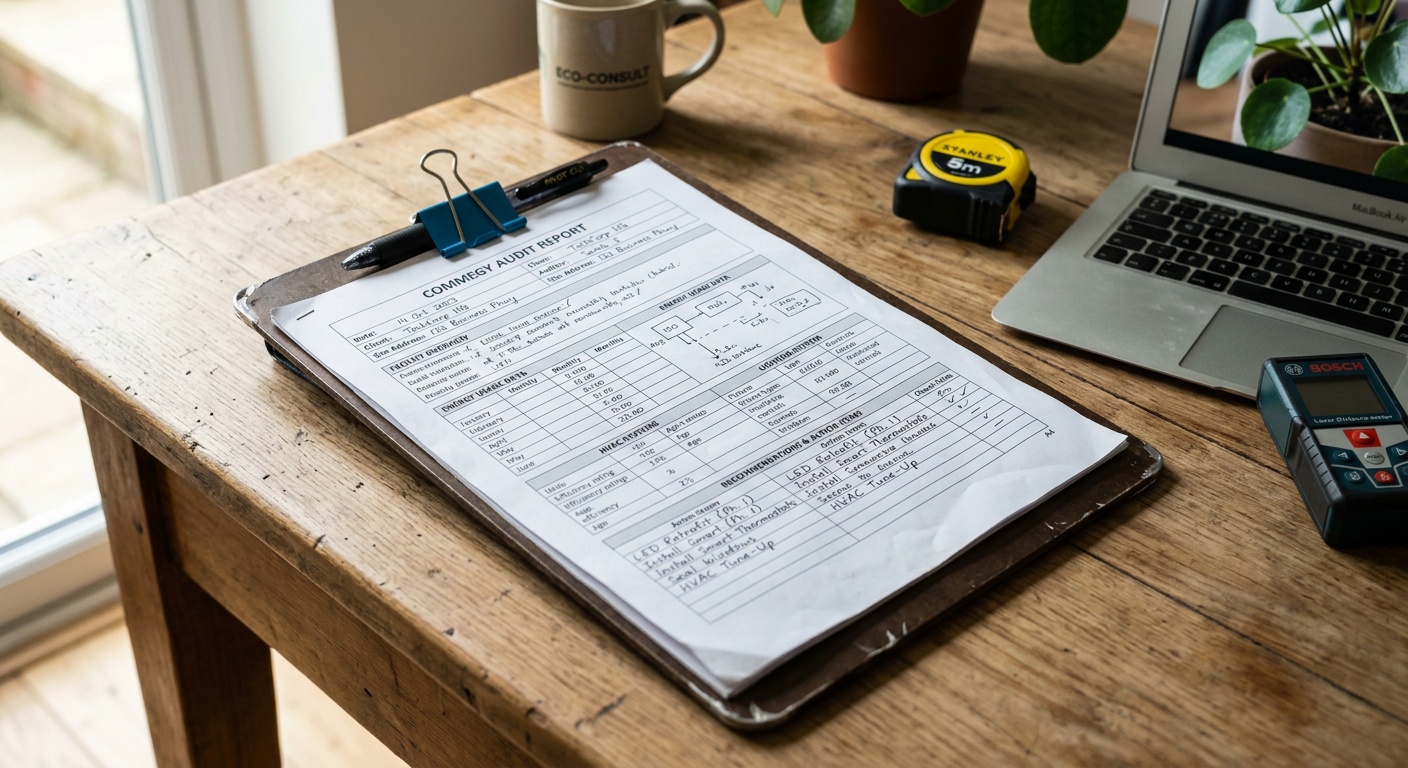
A home energy audit doesn’t require professional certification — but it does require preparation. Before you walk through a single room, gather the following:
- 12 months of utility bills (or access your utility’s online portal for historical data)
- A basic thermal leak detector — infrared thermometers are available for under $20 and reveal temperature inconsistencies around windows and doors
- A plug-in energy monitor (brands like Emporia or Kasa offer models under $15) to measure individual appliance wattage
- A flashlight for inspecting crawl spaces, attics, and behind appliances
- Your home’s floor plan or a sketch — room dimensions help calculate heating/cooling loads
- Your appliance manuals or model numbers to look up Energy Star ratings
- A notepad or spreadsheet — you’ll be logging readings, not just eyeballing
Understanding Your Utility Bill Baseline
Your utility bills are the most honest report card your home will ever give you. Before touching a single light switch, do this analysis:
- Calculate your average monthly kWh consumption over the past 12 months
- Identify your peak usage months — this reveals whether your biggest costs are heating or cooling driven
- Compare your usage to EPA Energy Star benchmarks for homes of similar square footage in your climate zone
- Note any unexplained spikes — these often indicate failing appliances, air leaks, or phantom loads
Pro Tip: In 2026, most major utility providers now offer free “Home Energy Reports” through their app or website. Many integrate with third-party smart home platforms like Google Home, Amazon Alexa, and Apple Home. Download yours before starting your audit — it’s free data you’d otherwise pay an auditor to generate.
Room-by-Room Energy Audit Checklist
Work systematically. Random auditing produces random results. Start at the top of your home (attic) and work downward — heat rises and escapes upward, so that’s where many homes bleed energy most aggressively.
Attic and Roof
- ☐ Measure current insulation depth and compare to recommended R-values for your climate zone
- ☐ Check for visible gaps around recessed lights, plumbing penetrations, and HVAC ducts
- ☐ Inspect attic ventilation — blocked vents increase cooling load significantly
- ☐ Look for moisture staining, which indicates air leakage and potential mold risk
- ☐ Note whether attic HVAC ducts are insulated and sealed (uninsulated attic ducts can waste 20–30% of HVAC energy)
Windows and Doors
- ☐ Check window glazing type — single-pane windows lose heat 10x faster than double-pane
- ☐ Use your infrared thermometer to scan window edges on a cold or hot day for temperature differentials
- ☐ Inspect weatherstripping on all exterior doors — daylight visible around a closed door means significant air leakage
- ☐ Check door sweeps at the base of exterior doors
- ☐ Test window locks and latches — improperly sealed windows create air gaps
- ☐ Note window age and orientation (south-facing windows are candidates for smart shades)
HVAC System
- ☐ Record your HVAC system’s age and SEER2 rating (systems below SEER2-14 are candidates for replacement)
- ☐ Inspect and measure air filter condition — clogged filters increase energy use by up to 15%
- ☐ Check all supply and return vents for blockage, damage, or closure
- ☐ Inspect accessible ductwork for visible gaps, disconnections, or poor sealing
- ☐ Note your current thermostat type — is it programmable? Does it support smart thermostat wiring (C-wire)?
- ☐ Record your home’s heating/cooling zones
Kitchen and Laundry
- ☐ Plug each major appliance into your energy monitor and record standby and active wattage
- ☐ Check refrigerator door seals — a loose seal allows cold air to escape continuously
- ☐ Record dishwasher, washer, and dryer model years and Energy Star status
- ☐ Inspect dryer vent for lint blockage and verify exterior vent flap opens properly
- ☐ Check water heater age, type (tank vs. tankless), and thermostat setting (120°F is optimal)
Lighting Throughout the Home
- ☐ Inventory all bulb types — LED, CFL, or incandescent in each room
- ☐ Note rooms with lighting on more than 4 hours daily (prime smart lighting candidates)
- ☐ Check outdoor lighting run times and sensor functionality
- ☐ Identify fixtures where occupancy-based control would reduce waste (hallways, bathrooms, garages)
Electrical Panel and Phantom Loads
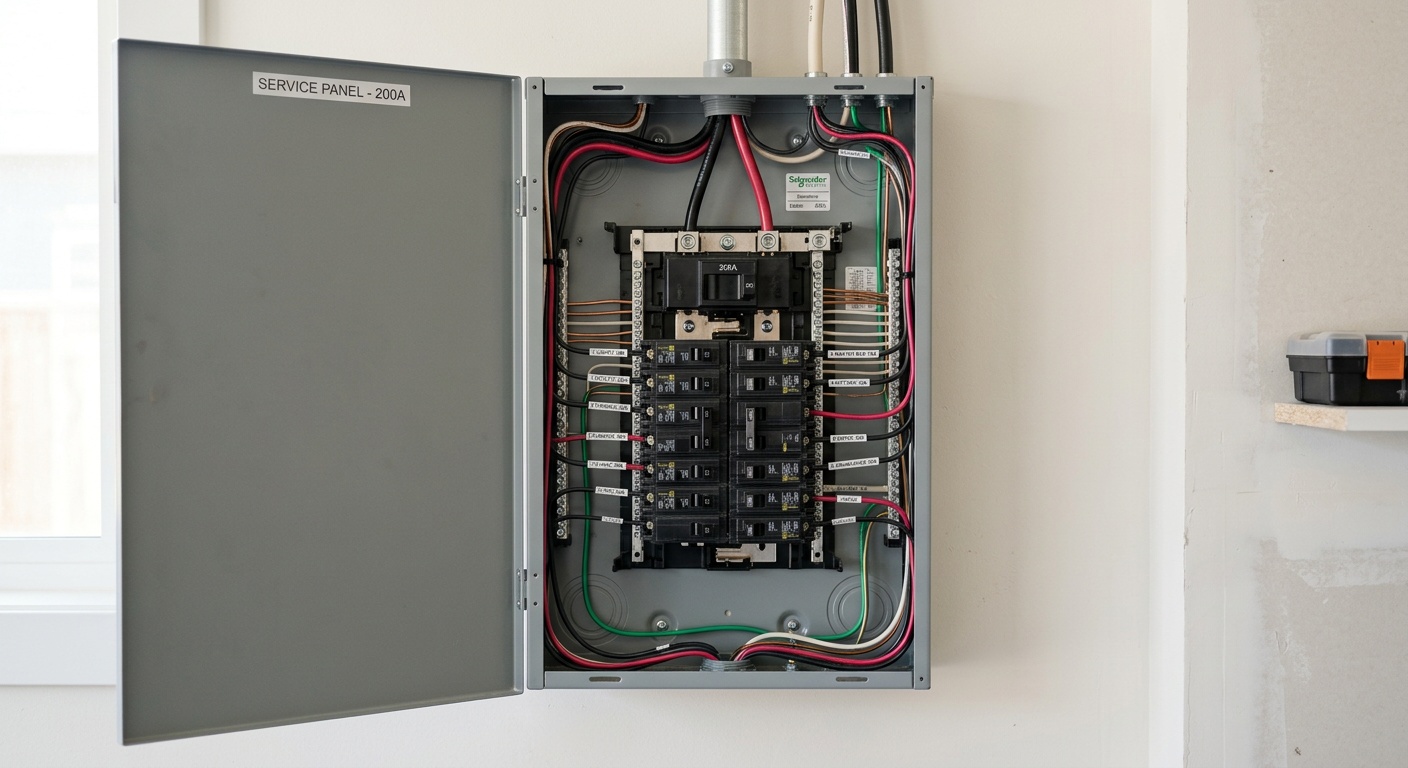
- ☐ Record your electrical panel capacity (amps) — smart EV chargers and heat pumps require sufficient capacity
- ☐ Identify and measure phantom loads from TVs, gaming consoles, chargers, and cable boxes
- ☐ Note outlets near your main entertainment system for smart power strip deployment
- ☐ Check your home’s Wi-Fi dead zones — smart devices need consistent connectivity to function
Reading Your Results: What the Numbers Mean
Raw data without interpretation is just noise. Here’s how to translate your audit findings into an energy priority map.
| Issue Found | Estimated Annual Waste | Fix First or Device First? | Recommended Smart Device | Expected ROI Timeline |
|---|---|---|---|---|
| Poor attic insulation | $300–$600/year | Fix First | Smart thermostat after insulation | 2–4 years |
| Phantom loads (standby electronics) | $100–$200/year | Device First | Smart power strips / smart plugs | 6–12 months |
| Inefficient HVAC (old unit) | $400–$800/year | Fix First | Smart thermostat after replacement | 3–5 years |
| Incandescent bulbs in high-use areas | $80–$150/year | Device First | Smart LED bulbs or switches | 12–18 months |
| Air leaks (doors/windows) | $150–$350/year | Fix First | Smart sensors post-sealing for monitoring | 1–2 years |
The critical takeaway from this table: structural fixes (insulation, air sealing, HVAC replacement) should precede smart device investment. Devices that control a leaky, inefficient system will always underperform their advertised savings claims.
Matching Audit Findings to the Right Smart Devices
The Priority Matrix: High Impact vs. Low Effort
Not all smart home upgrades are equal. Your audit results should map directly to a purchasing priority matrix. Here’s a simple framework:
Tier 1 — Buy Immediately (High Impact, Low Cost):
- Smart plugs for phantom load offenders identified in your audit
- Smart power strips for entertainment centers (typically 4–7 devices running on standby)
- Smart LED bulbs in rooms your audit identified as high daily usage
Tier 2 — Buy After Structural Fixes:
- Smart thermostats — only after verifying C-wire compatibility and completing insulation upgrades
- Smart water heater controllers — effective only with a functioning, properly sized water heater
- Smart irrigation systems — install after checking for leaks in your irrigation lines
Tier 3 — Strategic Long-Term Investments:
- Smart EV charger — requires panel capacity verification first
- Whole-home energy monitors (Sense, Emporia Vue 3) — best installed after establishing a clean baseline
- Smart HVAC zoning systems — only viable with compatible ductwork confirmed during your audit
The Wi-Fi Reality Check
Here’s something often overlooked: your home’s Wi-Fi infrastructure is the nervous system of any smart home. In 2026, smart homes average 22 connected devices per household. Before buying a single additional device, your audit must include a Wi-Fi coverage assessment.
A simple test: walk to each corner and closet of your home with your phone and check signal strength. Any area dropping below -70 dBm signal strength will cause smart devices to disconnect, malfunction, or fail to report accurate energy data. A mesh Wi-Fi system or strategically placed access points may need to be your first “smart” investment.
Energy Waste Sources: Where Your Home Loses the Most
Based on 2026 EPA Home Energy Score data, here’s how energy loss typically breaks down in an average American home that hasn’t been audited:
This visualization underscores the audit’s most important message: HVAC is the dominant energy cost driver. Any smart home strategy that doesn’t start with understanding your heating and cooling system’s efficiency is working on the wrong priority.
3 Common Audit Mistakes (and How to Avoid Them)
Mistake 1: Auditing in Ideal Conditions
Many homeowners walk through their home on a mild 68°F spring day and conclude everything looks fine. The problem? Energy inefficiencies are most visible under stress — on the coldest night in January or the hottest afternoon in August. If possible, conduct your thermal leak scan during temperature extremes. At minimum, review your utility bills from peak-season months to identify stress-period performance.
Mistake 2: Ignoring the “Small” Phantom Loads
A single device drawing 2 watts on standby seems negligible. But a typical American home has 40–50 devices in standby at any given moment. Add that up: 50 devices × 2W average = 100W continuous = 876 kWh/year. At the 2026 national average of $0.165/kWh, that’s $144.54 wasted annually on devices that aren’t even “on.” Smart plugs and power strips cost $10–$25 each and pay for themselves within months when properly targeted.
Mistake 3: Treating Wi-Fi Strength as Optional
A 2025 J.D. Power Smart Home Satisfaction Study found that 38% of smart device dissatisfaction stems from connectivity failures, not device malfunctions. Smart devices that lose connectivity revert to default settings — often the least efficient ones. Your audit must include a connectivity map if you’re serious about smart home performance.
Real Homeowner Case Studies
Case Study 1: The Thermostat Trap — Denver, Colorado
Marcus, a software engineer in Denver, purchased a premium smart thermostat in early 2025 based on a friend’s recommendation. After a full heating season, his bills had barely changed. Frustrated, he finally hired a professional auditor who discovered his 1,800-square-foot home had R-11 insulation in the attic — far below the R-49 recommended for Denver’s climate zone. The thermostat was scheduling perfect temperature ramps, but the heat was escaping through the ceiling as fast as it was generated. After a $1,800 insulation upgrade in spring 2025, Marcus’s following winter heating costs dropped 34%. The smart thermostat then delivered its advertised savings on top of the insulation improvement.
Case Study 2: Audit-First Success — Atlanta, Georgia
Priya and her husband conducted a full DIY audit before making any smart device purchases for their new home. Their checklist revealed three prioritized opportunities: significant phantom loads from a home office with always-on equipment, a 2009-era water heater operating at 130°F, and a garage door opener running on halogen floodlights. Total DIY audit time: 4 hours. Total device investment based on findings: $180 (two smart plugs, smart LED bulbs, and a water heater timer). By their 12-month review in 2026, they calculated $340 in verified savings — a 189% return on device investment in the first year alone.
Frequently Asked Questions
Do I Need a Professional Energy Auditor, or Can I Do This Myself?
A DIY audit using the checklist in this article captures approximately 70–80% of a professional audit’s findings for the average home. Professional auditors add value through blower door testing (which measures total home air leakage under pressure), thermal imaging cameras, and combustion safety testing for gas appliances. If your home is older than 1985, has unusually high energy bills, or you’re planning major renovations, a professional audit ($300–$500) is worth the investment. For most homeowners evaluating smart device purchases, a thorough DIY audit is more than sufficient to guide purchasing decisions intelligently.
How Long Should a Home Energy Audit Take?
A comprehensive DIY audit using this checklist typically takes 3–5 hours spread across one or two sessions. The initial utility bill analysis takes 30–45 minutes. The room-by-room physical inspection takes 2–3 hours. Data compilation and priority mapping takes another 30–60 minutes. Avoid rushing — the quality of your audit directly determines the quality of your smart device investment decisions. A thorough audit completed once saves you from making repeated, expensive purchasing mistakes over time.
What Smart Device Should I Buy First After Completing My Audit?
The answer depends entirely on your specific audit findings — which is precisely why the audit matters. That said, for most homes in 2026, the highest-ROI first purchase is either a whole-home energy monitor (like the Emporia Vue 3 or Sense Energy Monitor) or smart plugs targeting your top 3 phantom load offenders. The whole-home monitor transforms your home’s electrical panel into a real-time energy intelligence system, giving you continuous data to guide every subsequent smart device decision. If your audit revealed significant phantom loads, smart plugs deliver ROI within 6–12 months and cost under $25 each.
Your Smart Home Action Roadmap: From Audit to Automation
You’ve done the audit. You’ve mapped your findings. Now let’s turn that data into a 90-day action plan that transforms your home from energy-uncertain to intelligently optimized.
Week 1–2: Fix the Foundation
- Address any critical air sealing issues identified (weatherstripping, door sweeps) — materials cost under $50 and take one afternoon
- Replace or clean HVAC filters if your audit revealed clogging
- Set your water heater to 120°F if it’s currently higher
Week 3–4: Deploy Quick-Win Smart Devices
- Install smart plugs on your top phantom load sources
- Replace incandescent bulbs in high-use rooms with smart LEDs
- Set up a whole-home energy monitor to establish your new baseline
Month 2: Verify C-Wire and System Compatibility
- Confirm your HVAC system supports your target smart thermostat model
- Complete any insulation or ductwork improvements identified in your audit before thermostat installation
- Map your Wi-Fi coverage and address dead zones if needed
Month 3: Install and Optimize Tier 2 Devices
- Install smart thermostat and spend 2 weeks refining its schedule to your household’s actual patterns
- Review your whole-home monitor data to identify any remaining inefficiencies
- Plan your Tier 3 investments (EV charger, smart irrigation) based on real performance data
The broader trend here is powerful: in 2026, homes that combine energy audits with smart technology integration are achieving 25–35% total energy cost reductions — far exceeding the 8–12% gains seen from smart devices alone. This isn’t just about saving money on utility bills; it’s about building a home that’s genuinely resilient against rising energy costs and ready for an increasingly electrified future.
Here’s the question to sit with: What would you do with an extra $400–$800 per year that your home is currently handing to your utility company? Your audit is the first step to reclaiming it.